
Features
Everything your firm needs to bill time, on one ledger.
Tracking, budgets, approvals, profitability, built-in reports, an open API, and an AI assistant that talks back — the whole back office of a service firm, kept in a single book.
90-day free trial, full access, no credit card
01 Timix.AI
An AI assistant that does the busywork
Log time by talking, ask your data, and let AI surface what you didn’t think to ask — always role-scoped, always confirmed by a human before anything is saved.
Log time by talking
Tell Timix.AI “log 2 hours on the Meridian redesign” and it creates the entry on the right SubTask, ready to review.
Ask your data
Ask about hours, budgets, and projects in plain language — answers come from live data, scoped to what your role can see.
AI Insights
A dedicated panel that surfaces trends and predictions across your time and budget data — automatically.
AI-drafted holiday profiles
Ask AI to draft a national-holiday profile for a country and year; nothing saves until a human confirms it.
Chat history
Conversations are kept, so you can scroll back to an earlier answer or pick up where you left off.
02 Track time
Time entry that takes seconds
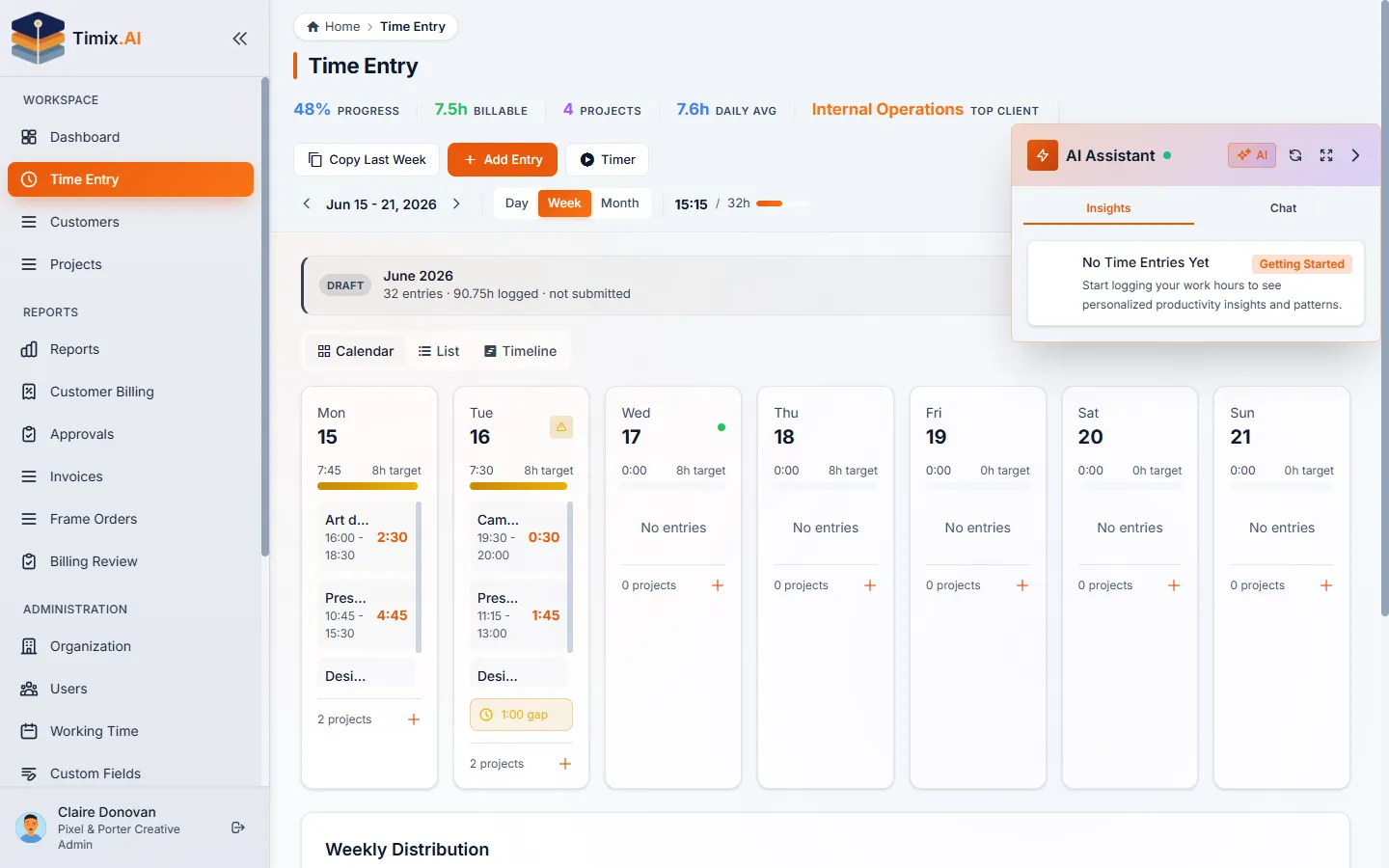
Day, week, and month views, a timer that follows you around, favorites for recurring work, and a four-level hierarchy that files time the way you invoice it.
Day, week & month views
Log on a day timeline, fill a week grid, or review a whole month — whichever way your team thinks about time.
Persistent timer
Start a timer and keep working; it stays visible across the app with pause, resume, and stop.
Time-entry favorites
Pin the work you log most so recurring entries are one tap away.
Start/end or duration
Enter time by exact start and end times or by a plain duration — whatever’s faster in the moment.
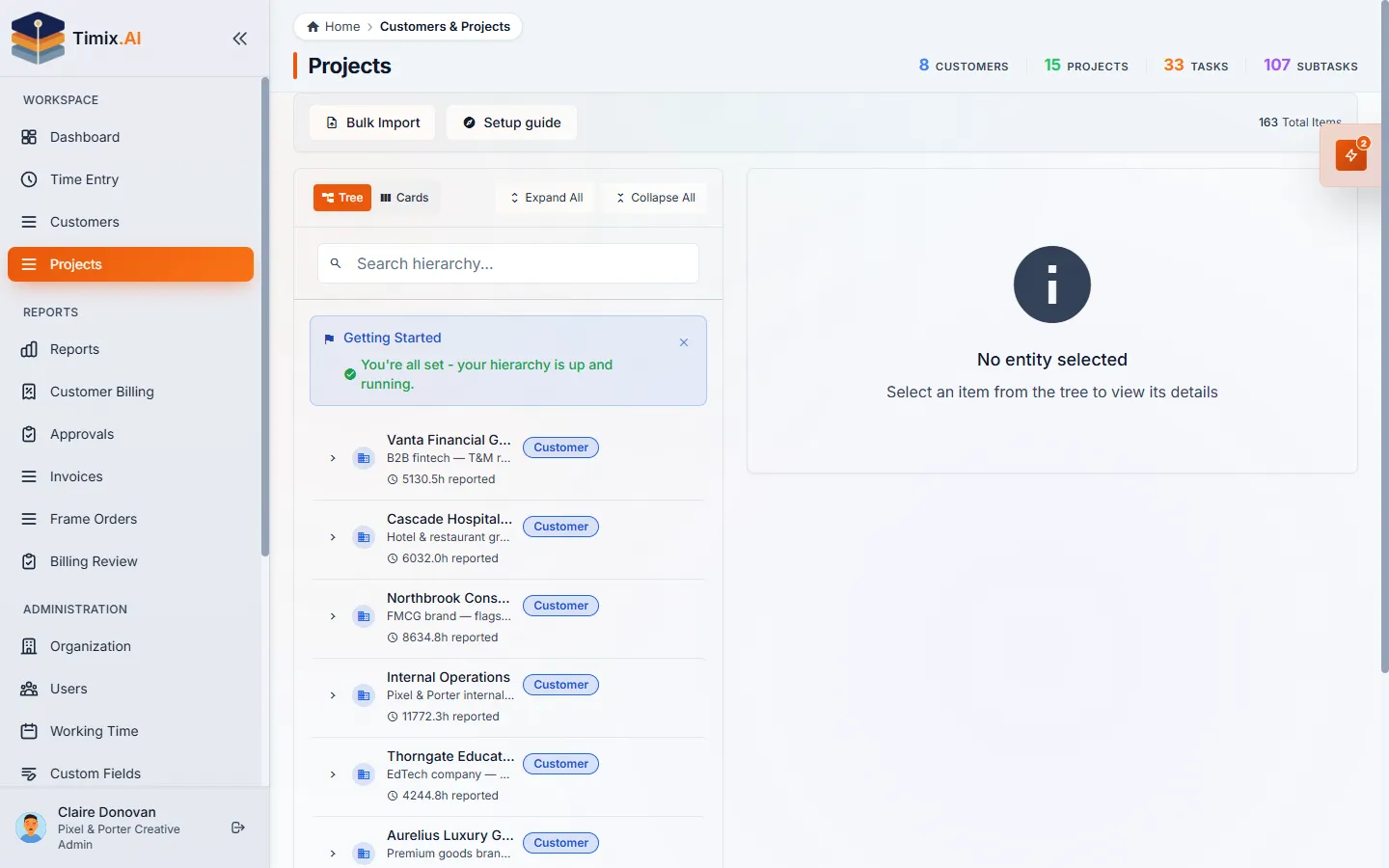
4-level hierarchy
Customer → Project → Task → SubTask, so time is filed the way you invoice it.
Auto-SubTask creation
Log time on a task with no SubTask and Timix.AI creates a default one for you — depth without the friction.
03 Budgets & alerts
Budgets that warn you before the overrun
Set a budget once at project, task, or SubTask level and Timix.AI checks it on every entry — soft and hard limits, threshold alerts, and budget health from live hours.
Budgets at three levels
Attach a budget to a project, a task, or a single SubTask — wherever the contract draws the line.
Fixed amount or hour cap
Set a fixed-amount budget or a T&M hour cap, whichever matches how the engagement is sold.
Hard cap enforcement
When a budget reaches its hour or amount cap, new time against it is blocked at entry — the overrun is stopped, not just logged.
Real-time budget health
Health is recomputed from live logged hours and shown on the dashboard, in reports, and through AI.
Threshold alerts
Set the alert thresholds you care about for the whole org, and get warned the moment a budget crosses them.
Budget vs Actual report
A dedicated report comparing every budget against the hours and money actually logged against it.
04 Profitability & reports
Profit, margin, and the reports to prove it
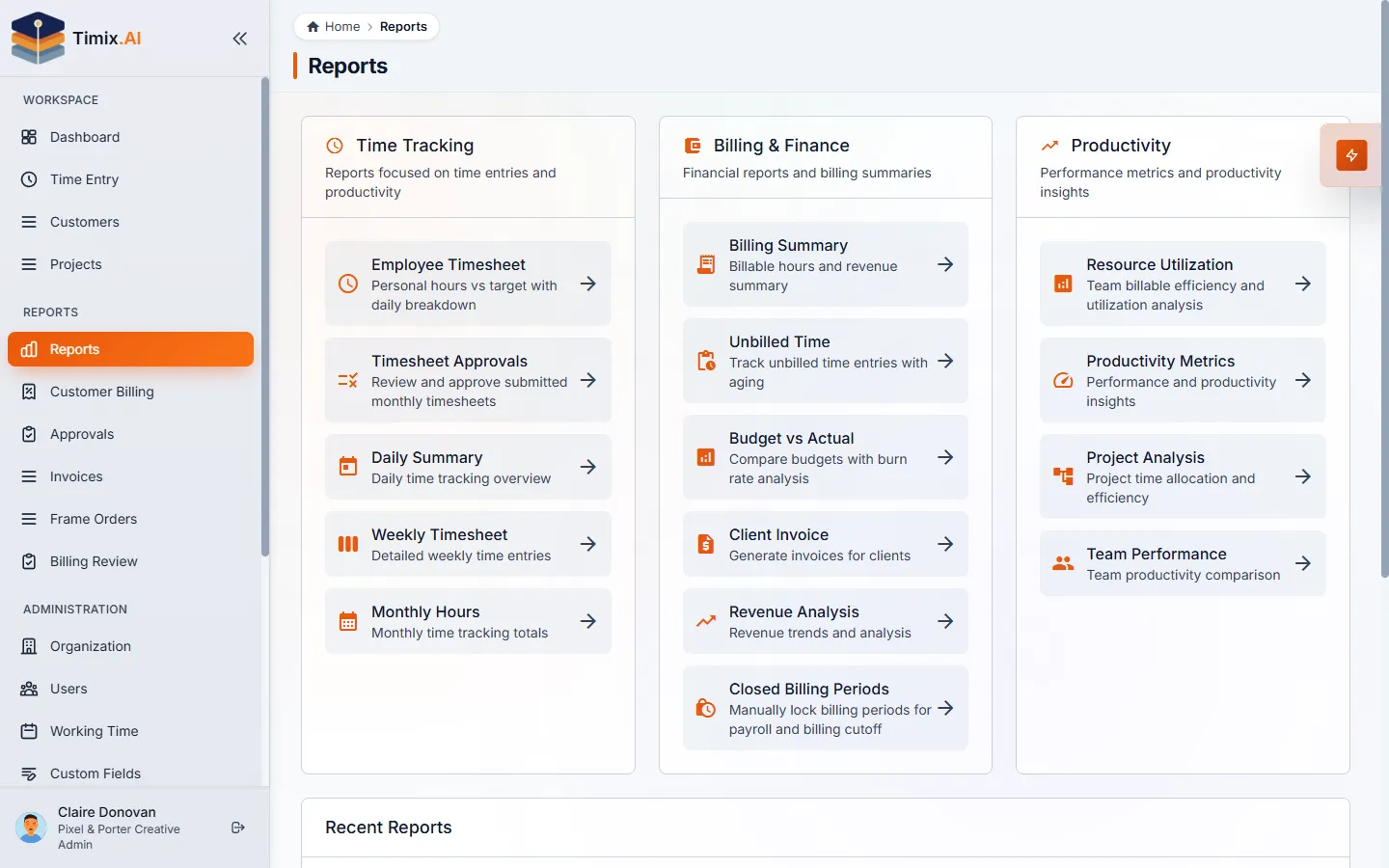
Dual rates on every entry roll revenue, cost, profit, and margin up the whole hierarchy — and built-in report pages turn it into answers without building anything.
Dual rates
Every entry carries a customer bill rate and an internal cost rate — the two numbers profit needs.
Profit & margin roll-up
Revenue, cost, profit, and margin roll up from SubTask to project to organization automatically.
Cost-rate history
Effective-dated cost rates per person, so past margins stay accurate when pay changes.
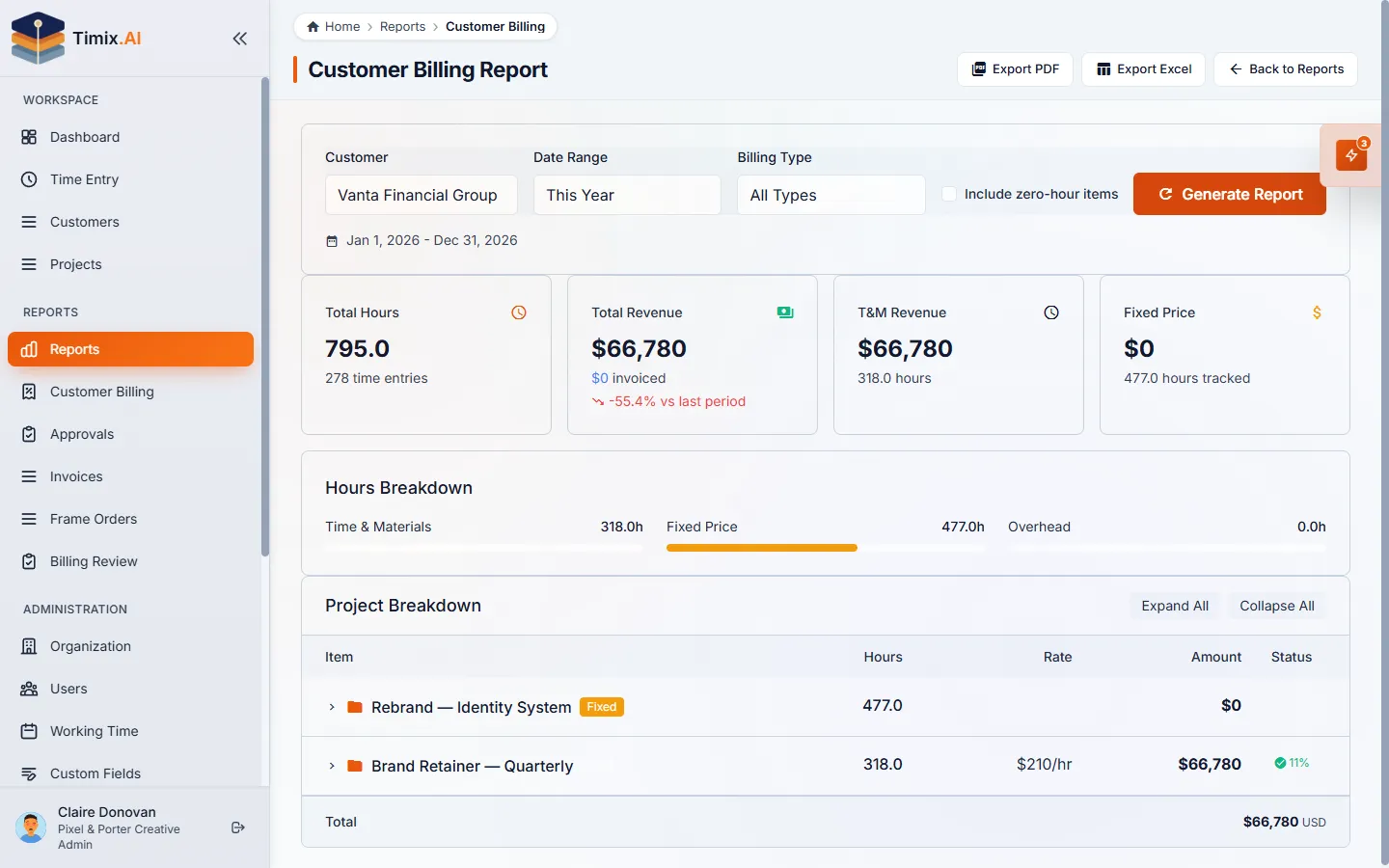
Built-in report pages
Timesheets, billing, utilization, productivity, approvals, and more — the questions that actually come up.
Rate & billing-type inheritance
Set a rate or billing type once at the top; every task and SubTask below inherits it, with overrides where needed.
05 Utilization & capacity
Capacity that reflects how people actually work
Resource utilization measured against real targets, with org-wide work schedules and per-user overrides for part-timers and four-day weeks.
Resource utilization vs targets
See billable time against each person’s capacity target, so you know who’s stretched and who has room.
Organization work schedules
Define the standard working days, hours, and start/end times your org runs on.
Per-user custom schedules
Override the standard for part-timers and four-day weeks — capacity reflects how each person actually works.
06 Holidays & calendars
Capacity that already knows about the long weekend
Per-organization, per-year holiday profiles you can auto-generate by country and year, feeding straight into capacity and utilization targets.
Per-org, per-year profiles
Build holiday profiles for each organization and year, marking full-day and half-day closures.
Auto-generate by country & year
Generate a year’s holidays from a country using deterministic public sources — no hand-typing dates.
Schedule indicators
Holidays and reduced-hours days feed capacity and utilization targets, so the long weekend is already accounted for.
07 Approvals
A clean trail finance can trust
Time moves Draft → Submitted → Approved and locks; approvers work one queue, reject with a reason, and every decision lands in the history.
Draft → Submitted → Approved
A clean three-step workflow; approved time is locked so the numbers finance signs off on stay put.
Pending-approval queue
Approvers work a single queue of submitted time instead of chasing people one by one.
Reject with a reason
Send time back with a comment, never silently — the person knows exactly what to fix.
Approval history & audit trail
Every submit, approval, and rejection is recorded, so there’s always a paper trail.
Approval routing
Assign managers to customers and projects, so submitted time routes to the right approver automatically.
Team-scoped approvals
Managers approve only their own team's timesheets — not the whole organization.
Lock the period when the books close
Finance can close a billing month so approved hours and totals can't shift after the fact.
08 Invoicing & exports
Invoicing & billing-ready exports
Turn approved hours into a commercial invoice — billed against a frame order and exactly the hours you choose — or compute T&M, Fixed-price, and Overhead and export to PDF or CSV.
Client invoicing
Turn approved hours into a commercial invoice — line items, your tax rate, totals, and a branded PDF to send (Professional+).
Frame orders (blanket POs)
Bill against a customer's frame order — say 200 or 500 hours — and Timix draws it down and shows the hours remaining on every invoice (Professional+).
Bill exactly what you choose
At month-end, pick which approved hours to invoice and write off the rest — bill 20 of a 50-hour entry, with the overage written off, not hidden.
Billed vs. unbilled, carried forward
See what's been billed and what hasn't — unbilled hours roll forward to a later invoice instead of getting lost.
T&M, Fixed price & Overhead
Mix all three billing types in one project tree; each is computed correctly into the numbers.
PDF & CSV exports
Send major reports out as polished PDFs or CSV files your finance tools can ingest.
Filtering
Narrow exports by client, project, person, or date range so each export carries exactly what’s needed.
A note on invoicing: Timix.AI generates commercial invoices from your hours (Professional+). For country-specific tax and e-invoicing compliance — where a government must clear the invoice — export billing-ready numbers or sync to the accounting tool you already use.
09 Team & roles
Six roles, many organizations
Owner, Admin, Finance, Manager, Member, and Viewer, enforced across app and API, with financial data visible only to the roles that should see it, fully isolated organizations, an org switcher, and email invitations.
Six roles
Owner, Admin, Finance, Manager, Member, and Viewer scope what each person can see and do.
RBAC everywhere
Role rules are enforced across the app and the API — not just hidden in the UI.
Multi-org isolation & switcher
One login, many organizations, each fully isolated; switch between them in a click.
Email invitations
Invite teammates by email; they land in the right organization with the right role.
Bulk user & data import
Bring people and records over in bulk instead of adding them one at a time.
Finance role & protected data
A dedicated Finance role gets full read access to invoices, rates, and reports — while rates, revenue, and margins stay hidden from Members and Viewers.
10 Admin & data
Run it like a firm, not a side project
Custom fields, clean bulk imports, reversible deletes, branding, and org settings — the unglamorous things that make a tracking tool trustworthy.
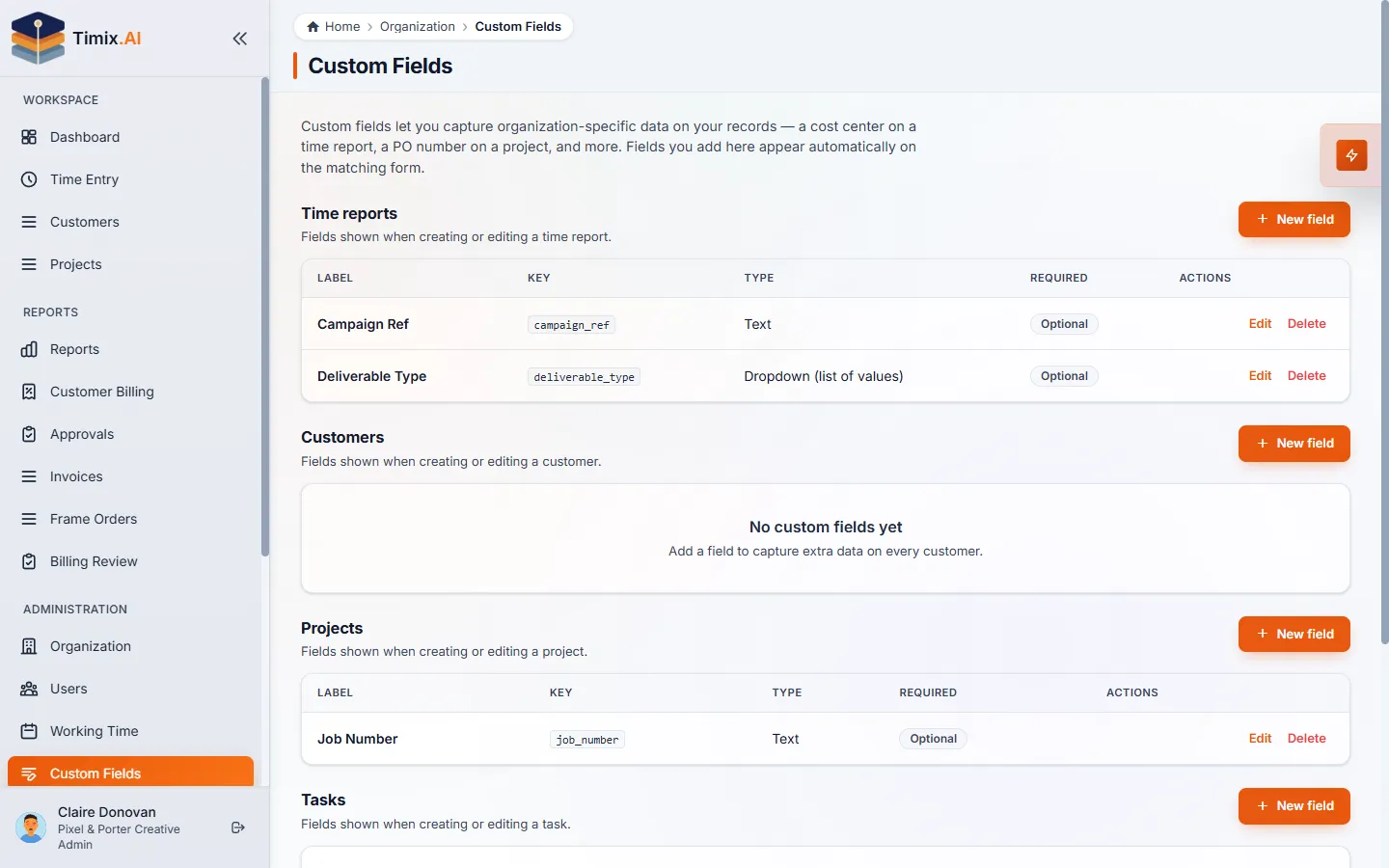
Custom fields
Add typed fields — text, number, date, datetime, or dropdown — on any entity, and mark them required.
Bulk CSV import
Import customers, then projects, tasks, and SubTasks from CSV with validation — move off spreadsheets in minutes.
Recycle bin
Deletes are soft; anything removed waits in the recycle bin until you restore it.
Cascade soft-delete
Remove a parent and its children go with it — all recoverable, nothing orphaned.
Org branding
Upload a logo and brand color; branded PDFs come with Professional and up.
Org settings
Set your timezone, currency, and automatic month-close to match how your firm operates.
11 Platform
The platform underneath
An Integration API with keys, webhooks, and Zapier, Make & Workato connectors; sign-in from Google and Microsoft to passkeys to Enterprise SSO; light and dark themes, per-user timezones, and a responsive layout on any device.
Integration API & keys
A key-authenticated REST API over your customers, projects, tasks, and time, with in-app key management.
Webhooks
Push events to your own systems as things change, so integrations stay in sync.
Zapier, Make & Workato connectors
Connect QuickBooks, Xero, Slack and 1,000+ apps through our Zapier, Make, and Workato connectors — set up your accounting sync with no code.
Use it from your own AI (MCP)
Connect Timix to Claude, ChatGPT, Cursor and other MCP clients — log time, query hours, budgets and margin, or create work straight from the AI you already use. Your client, your tokens. Professional+.
Google & Microsoft sign-in
Sign in with Google or Microsoft, or with email and password — your choice.
Biometric & passkey sign-in
Passwordless sign-in with a passkey — Face ID, Touch ID, Windows Hello or a fingerprint — for faster, phishing-resistant access.
SSO / SAML & SCIM
Single sign-on and automated user provisioning (SCIM), set up on demand for Enterprise plans.
Install on any device
Add Timix to your phone or desktop home screen and it launches full-screen like a native app — responsive across desktop, tablet, and phone. No app store needed.
Offline time tracking
Keep tracking with no connection — start, stop, and log time offline and it syncs automatically the moment you’re back online.
Light & dark themes
A polished light or dark interface that follows your preference.
Per-user timezone
Each person works in their own timezone while the org’s numbers stay consistent.
FAQ
Feature questions, answered
Is Timix.AI just a time tracker?
No — it captures time across a Customer → Project → Task → SubTask hierarchy and turns it into live budgets, true project profitability, and billing-ready exports for Time & Materials, Fixed Price, and Overhead work.
Can I run Timix.AI from an AI assistant?
Yes — a headless MCP server lets Claude, ChatGPT, or Cursor log and query your time directly, governed per API key, with sensitive financials redacted by default and every write created as a draft.
Does Timix.AI support fixed-price and overhead billing, not just hourly?
Yes — every task can be Time & Materials, Fixed Price, or Overhead, each with its own budget, and it all rolls up into profitability and billing reports.
Is Timix.AI available in Hebrew?
Yes — the app is fully bilingual English and Hebrew (RTL), with Sunday–Thursday work weeks, Israeli holiday calendars, and VAT support.
Does Timix.AI integrate with other tools?
Yes — no-code connectors for Zapier, Make, and Workato reach 1,000+ apps, alongside a key-authenticated REST API and signed webhooks.
Can I control who sees financial data?
Yes — six roles (Owner, Admin, Finance, Manager, Member, Viewer) determine what each person can see and do, and sensitive financials stay protected by role.
Ready when you are
Put every capability to work on your next billable hour.
90-day free trial on every new workspace — full access to everything, no credit card.