
With the hierarchy clear, this is where you make it real: build the tree your team will log time against, and set the billing type and budget that decide how each project turns hours into money.
Build the structure
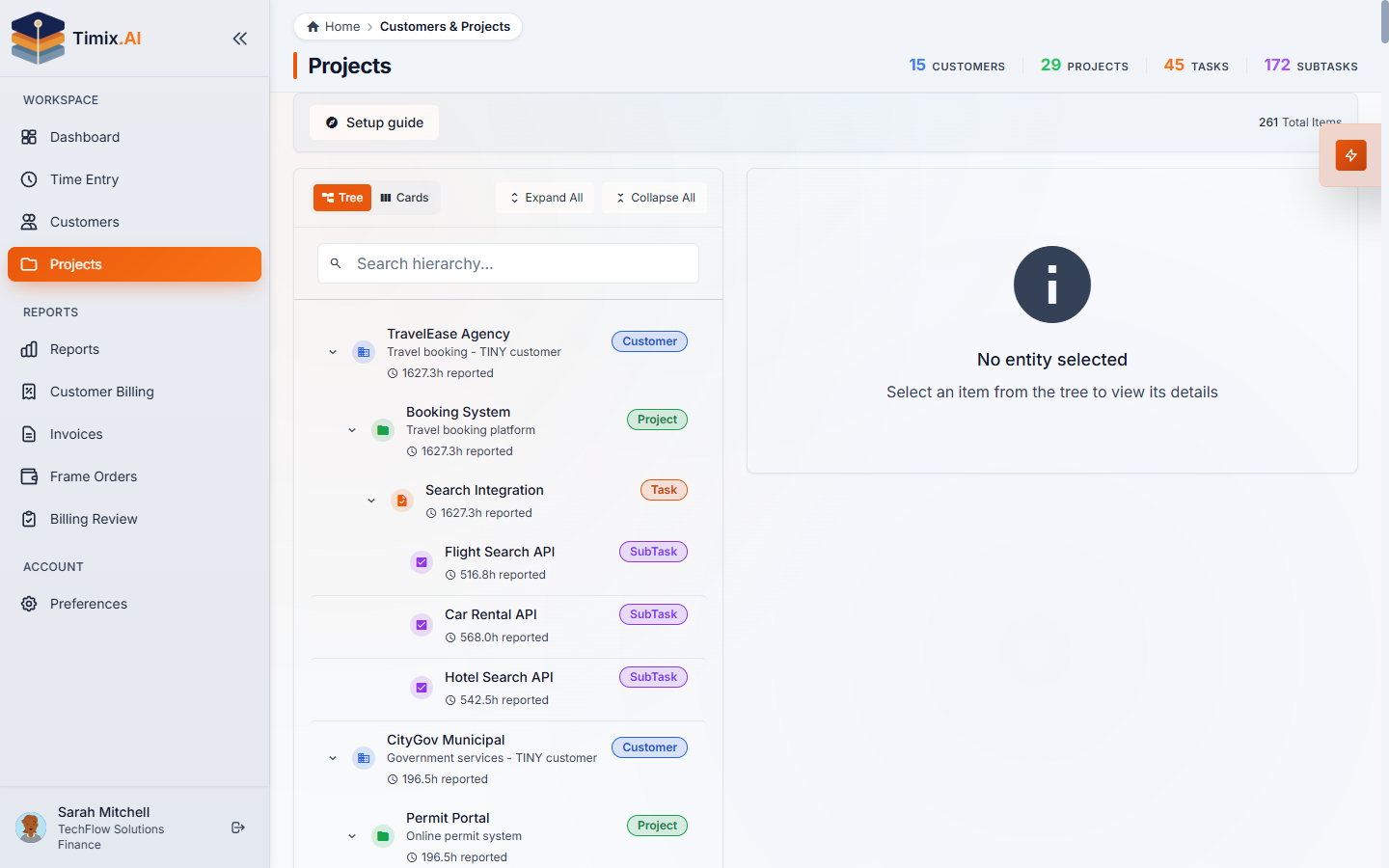
Open Projects from the sidebar. You build downward — a Customer, then a Project for an engagement, then Tasks for its phases. (SubTasks are created as work is logged, so you don’t have to lay every one out in advance.) The Setup guide button walks a first-time setup, and the tree shows the structure as it grows.
Set the billing type on each project
Open a project to see its settings. Under Financial Details, you set how the project bills — this is the single most important choice for getting invoices right:
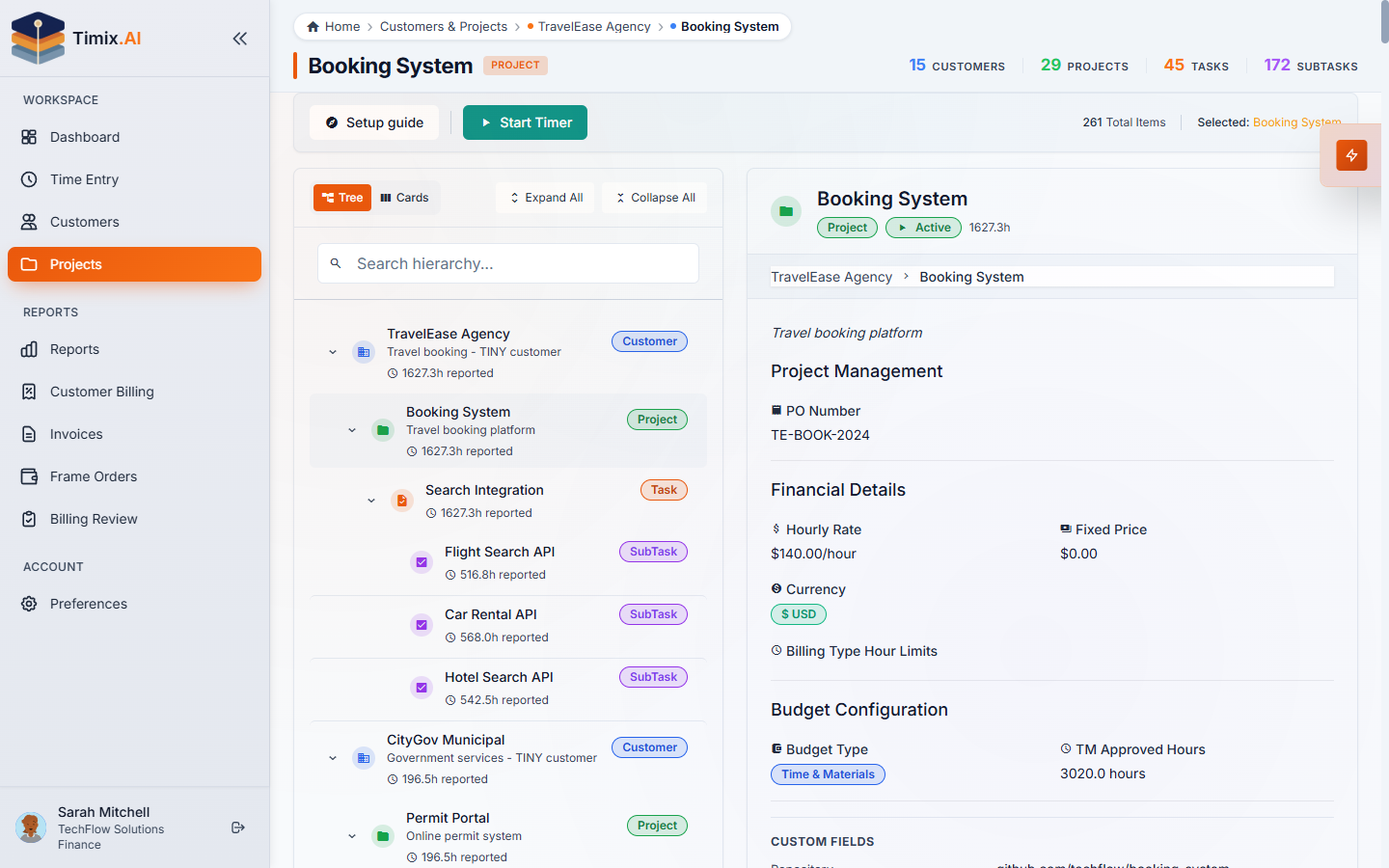
- Time & Materials (T&M) — bill the hours worked at a bill rate. Approved T&M hours are what flow into Billing Review and onto invoices.
- Fixed price — bill an agreed amount for the engagement regardless of hours. Hours are still tracked (for margin and utilization), but the invoice references the fee, not a time log.
- Overhead (OVH) — internal, non-billable work. Tracked for capacity, never invoiced.
A project sets which types it allows, and the actual type is carried on each SubTask — so a project can be mostly T&M and still hold a fixed-price deliverable or some overhead. Every time entry inherits its billing type from the subtask it’s logged against, which is why the hierarchy and the billing type work together.
Set a budget
The Budget Configuration on the same screen caps the hours (or amount) the project is expected to consume, per billing type. That budget is what powers budget health and the threshold alerts — Timix.AI checks consumed vs. budgeted hours as time is entered, so an overrun warns you while there’s still time to act, not at month-end.
With customers and projects in place, the billing type chosen, and a budget set, your structure is ready: time logged at the subtask level now flows up into accurate budgets, utilization, and — for T&M and Fixed work — invoices.