
Everything in Timix.AI hangs off one simple structure. Once the shape of it clicks, every other part of the app — time entry, budgets, approvals, billing — makes sense, because they all read from the same tree.
The five levels
Your data nests five levels deep, from your whole workspace down to a single unit of billable work:
Organization → Customer → Project → Task → SubTask
- Organization — your workspace. Everything below belongs to it, and it’s the boundary that keeps your data separate from every other organization.
- Customer — who you do the work for (and usually bill). Internal, non-billable work lives under an internal customer so it’s still tracked.
- Project — a specific engagement for a customer. The project is where the billing type (Time & Materials, Fixed price, Overhead) and the budget live.
- Task — a phase or work area within a project (e.g. “Search Integration”).
- SubTask — the lowest, most specific unit of work — and where every time entry is logged.
See it in the app
Open Projects from the sidebar. The tree shows your whole hierarchy; use Expand All to see how the levels nest, and click any item to open its details on the right.
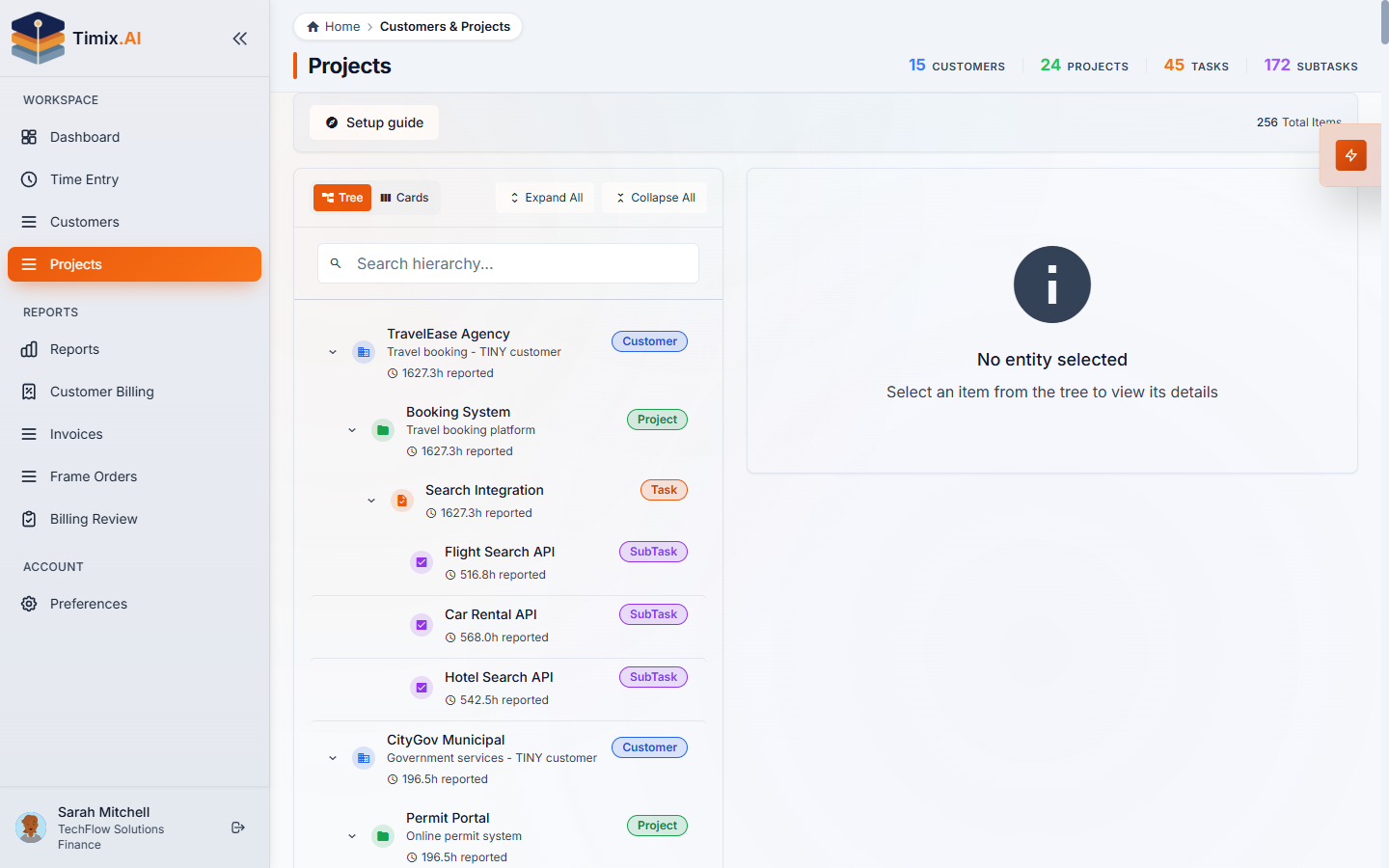
In the example above, the customer TravelEase Agency has a Booking System project, which has a Search Integration task, which holds the Flight Search API, Car Rental API and Hotel Search API subtasks. The counters at the top — customers, projects, tasks, subtasks — tally the whole tree.
The one rule that matters
All time is logged at the SubTask level. A person never logs time against a project or a task directly — they log it against a subtask, the concrete piece of work they actually did. Those hours then roll up the tree:
- a SubTask’s hours sum into its Task,
- tasks sum into the Project (where they meet the budget and billing type),
- projects sum into the Customer, and
- everything sums into the Organization.
Because every number traces back to the same subtask-level entries, your utilization reports, budget health, and invoices can never disagree about what was worked. And when you need to log time against something that doesn’t exist yet, Timix.AI auto-creates the SubTask for you — so you’re never blocked from capturing an hour.
With the hierarchy clear, the next step is building your own — adding customers and projects, and choosing the billing type for each.