
Approvals are the quality gate between raw logged time and a client invoice. Time moves Draft → Submitted → Approved, and only approved hours count toward budgets-as-billable and flow into Billing Review — so a quick, disciplined review protects every number downstream.
The Pending Approvals queue
Open Reports → Approvals. The queue lists every submitted timesheet awaiting your decision — who submitted it, the period, the total hours and number of reports, and when it came in — with View, Approve, and Reject on each row.
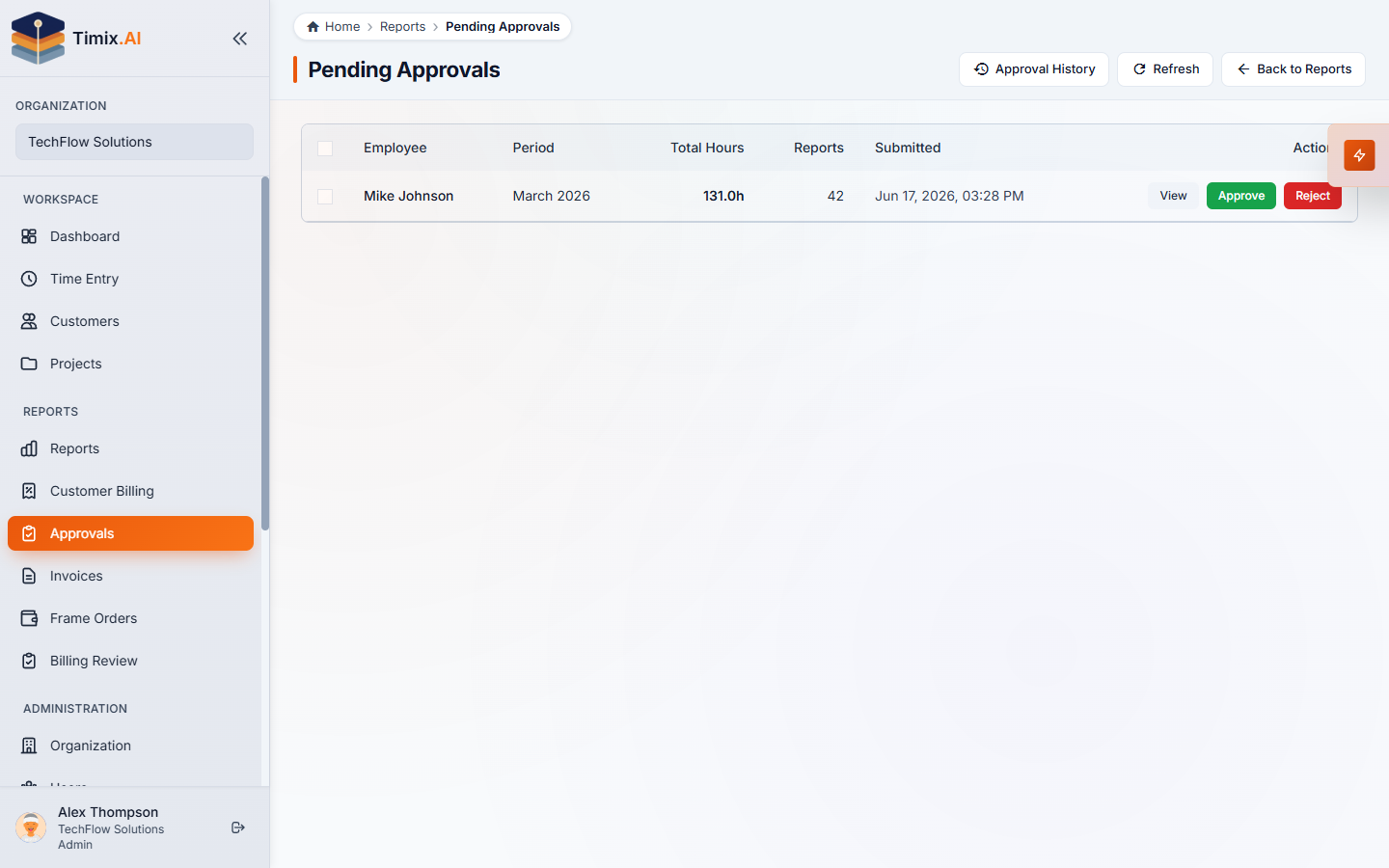
Because of reporter assignment, you only see the people who report to you, so this is one focused queue rather than the whole organization’s time.
Review before you approve
Click View to expand the submission and see the entries, grouped by day. This is where a reviewer earns their keep — a fast scan for the four things that cost the most at billing time:
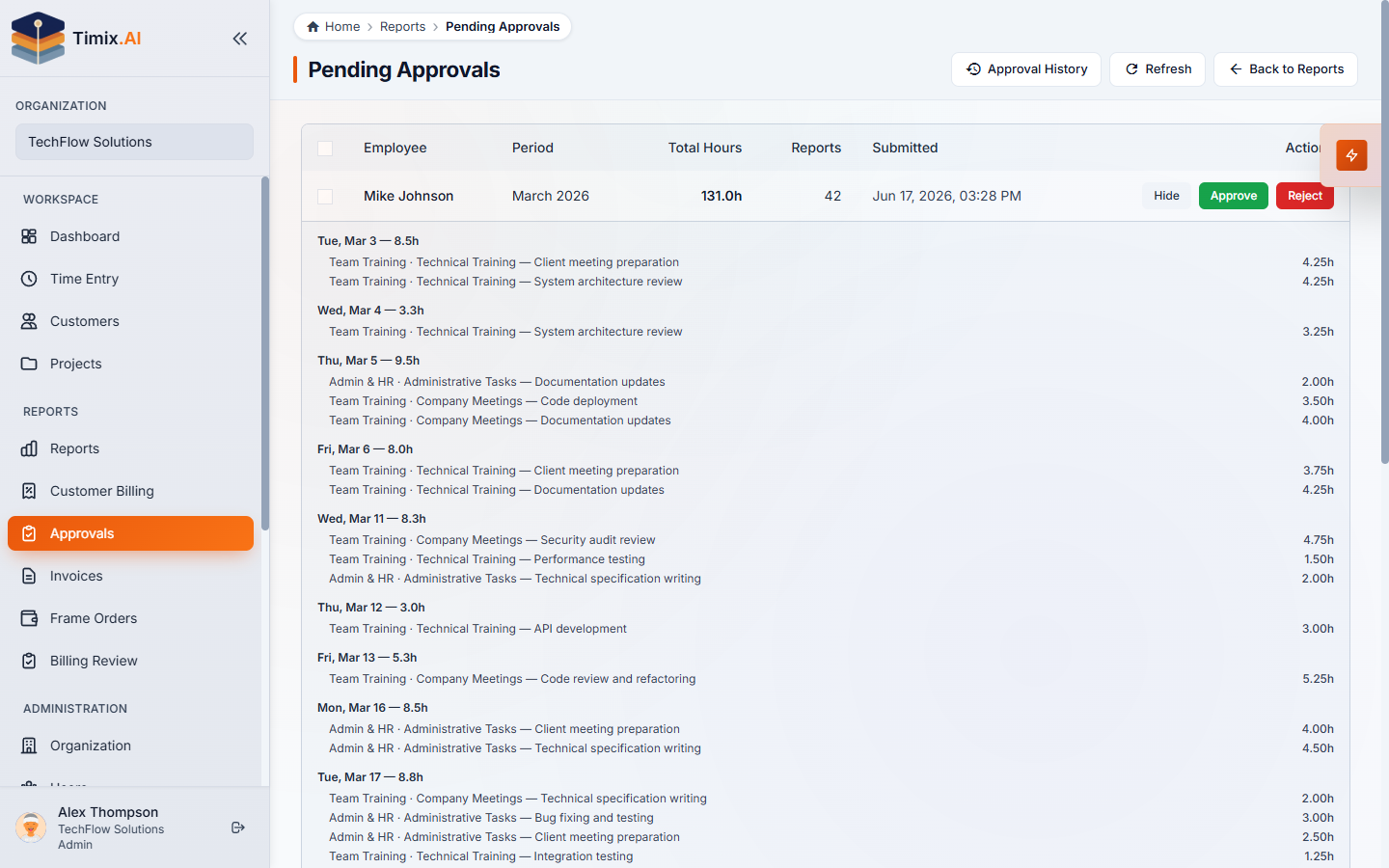
- Misclassification — billable logged as overhead, or vice versa.
- Thin descriptions — anything a client wouldn’t accept on a T&M invoice.
- Budget — work pushing a fixed-fee or capped project over.
- Wrong project — hours that landed on the wrong customer.
Approve or reject
When the timesheet is clean, Approve it — the hours become Approved, lock, and are ready for billing. If something’s wrong, Reject with a reason: the timesheet goes back to the person to fix and resubmit, and the reason is recorded.
Every decision is captured in Approval History, giving each bill a defensible review trail — who logged it, who approved it, and when. With the period approved, those hours are ready for the month-end billing flow.