
If you’re moving to Timix.AI from a spreadsheet — or just standing up a lot of structure at once — you don’t have to create every customer, project, and task by hand. The Bulk Import builds an entire Customer → Project → Task → SubTask hierarchy from a single CSV.
Open Bulk Import
Go to Projects and click Bulk Import (the upload icon). It’s a write to your structure, so it’s available to Manager and above, and it needs a plan that includes bulk operations (Professional or Business) — on a lower plan the button shows locked.
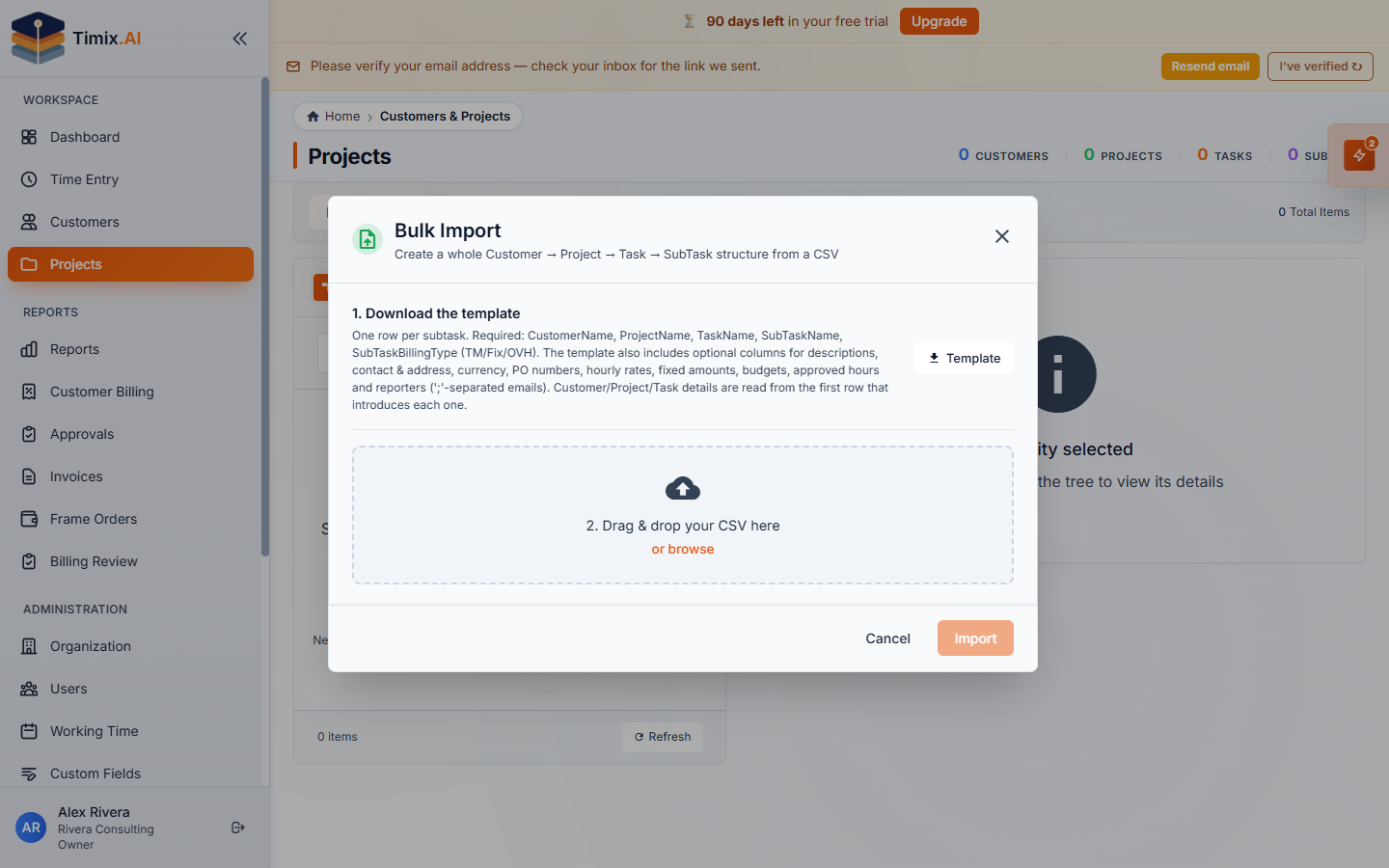
1. Download the template
Click Template to download a CSV with the header row and an example. The format is one row per SubTask, with these required columns:
- CustomerName, ProjectName, TaskName, SubTaskName
- SubTaskBillingType —
TM,Fix, orOVH
It also includes optional columns for descriptions, contact & address, currency, PO numbers, hourly rates, fixed amounts, budgets, approved hours, and reporters (;-separated emails). Customer-, project-, and task-level details are read from the first row that introduces each one, so you only fill those in once.
2. Upload and validate
Drag your filled-in CSV onto the dialog (or browse for it). Timix.AI first runs a validation — a dry run that parses the file and shows a per-row preview without creating anything, so you can fix any problems before committing.
3. Import
When the preview looks right, Import commits it: Timix.AI creates the valid hierarchy, reuses existing customers/projects/tasks by name instead of duplicating them, and skips any invalid rows. In a few seconds your whole structure is in place — ready for your team to start logging time against it.