
Roles decide who can see and do what — and, just as importantly, who can’t see the sensitive money behind your hours. Getting them right means the whole team gets the visibility they need without anyone seeing more than they should.
The six roles
Timix.AI has six roles, from full control down to read-only:
- Owner — full control of the workspace, including its lifecycle and billing.
- Admin — full configuration of customers, projects, users, and settings.
- Finance — financial visibility and billing: cost rates, margin, invoicing.
- Manager — reviews and approves their assigned team’s time, and watches their projects’ budgets.
- Member — logs their own time.
- Viewer — read-only access.
Manage members
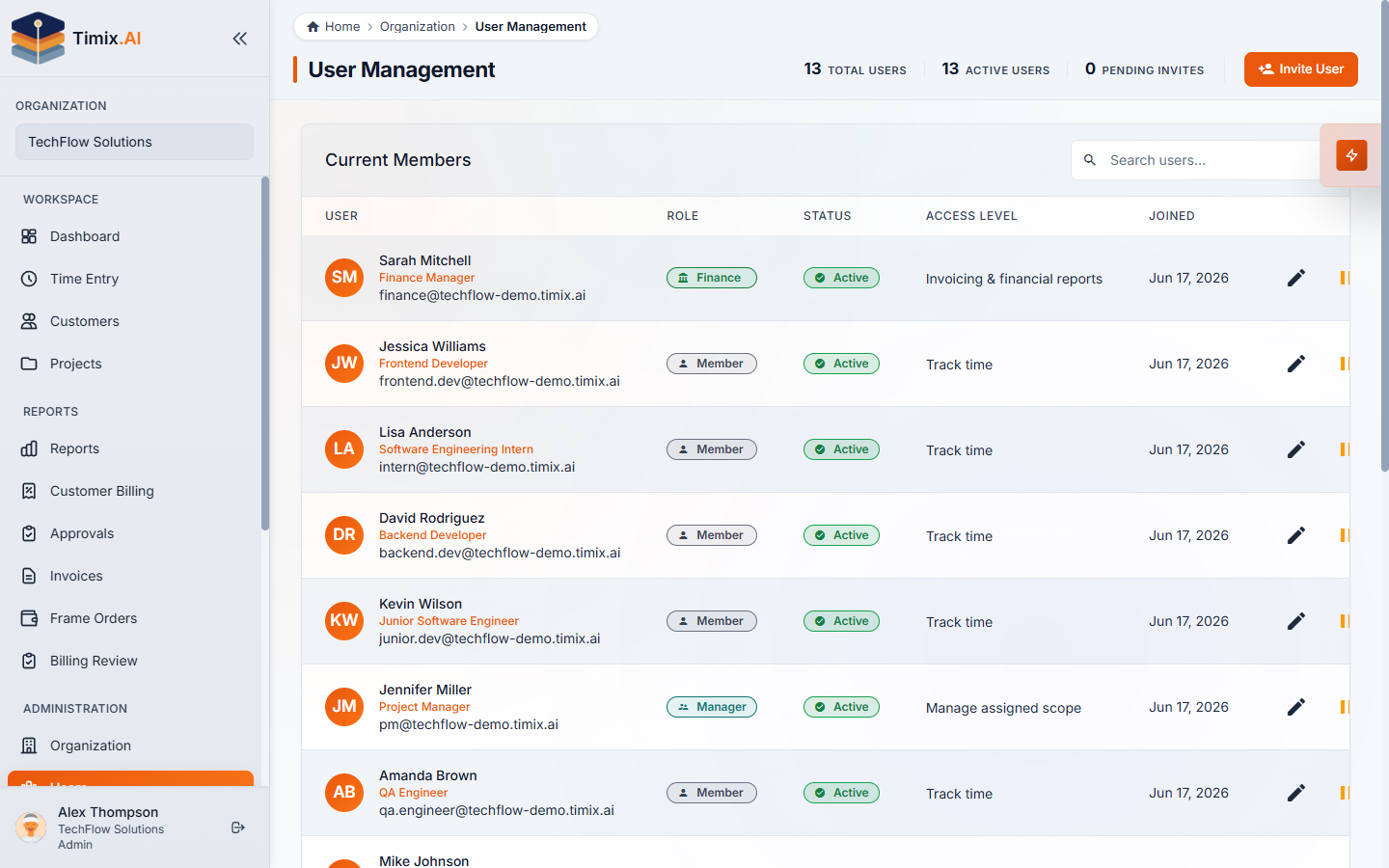
Open Organization → Users. The User Management page lists every member with their role, status, and a plain-English access level — so it’s clear at a glance who can do what. Use Invite User to add someone and set their role as you invite them.
Financial data stays protected
The most important line is the financial one: only Owner, Admin, and Finance see money — cost rates, margin, and profit. Everyone else works with hours, budgets, and utilization, but the sensitive figures are redacted for them. That’s what lets you give a Manager full visibility into their team’s capacity and budget health without ever exposing what the work costs or earns.
Scoped access
A Manager’s access is scoped to their assigned people and projects — one focused queue and budget view, not the whole org. Combined with the financial redaction, this is least-privilege by default: each person sees exactly the slice of the workspace their job needs.