
Accurate utilization starts with accurate expected hours. Timix.AI lets you define named working-time profiles for your weekly hours and attach country holiday calendars per year — so every person’s capacity reflects their actual schedule, not a one-size-fits-all assumption.
Work schedules
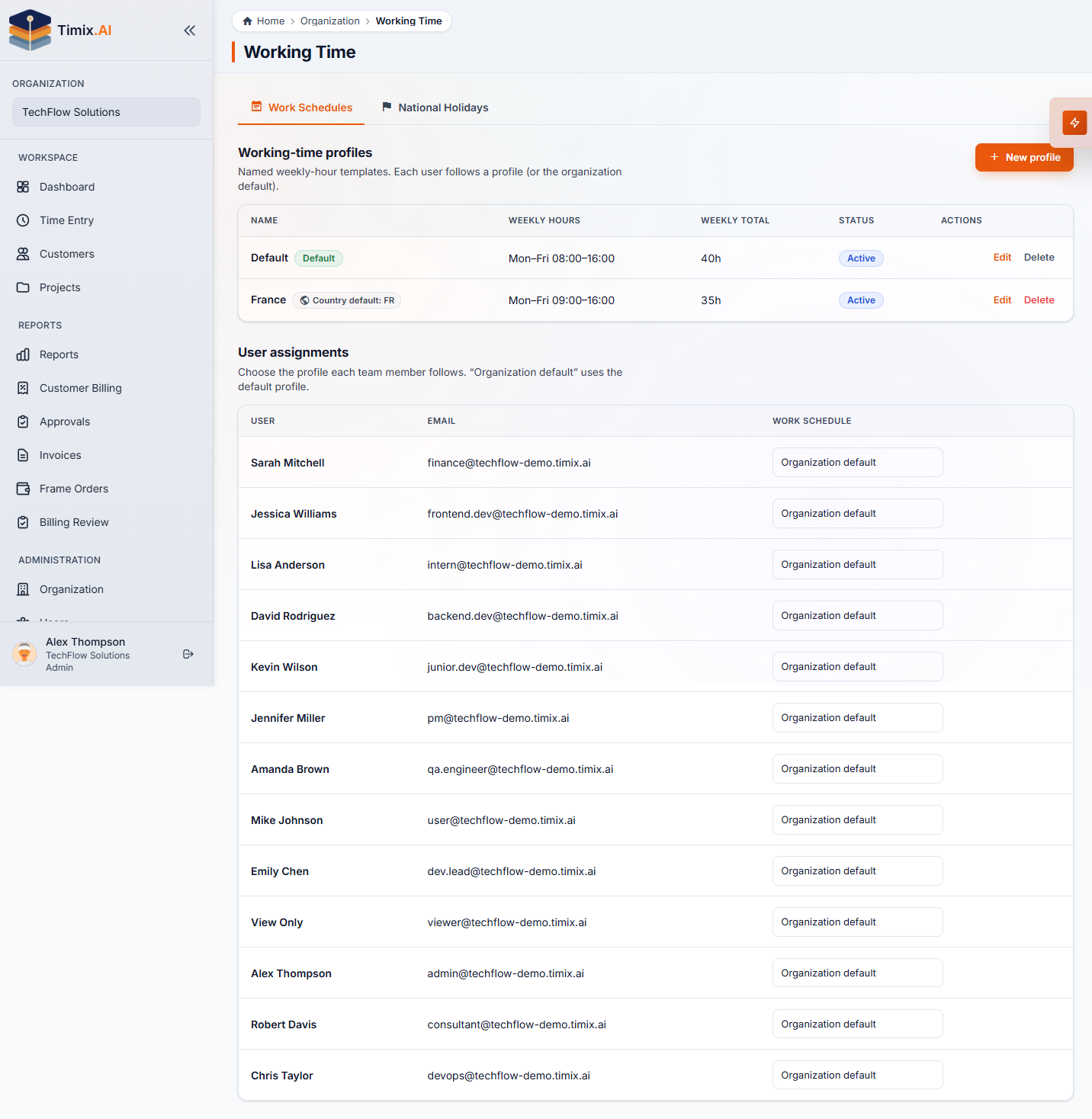
Open Organization → Working Time and select the Work Schedules tab. Here you create and manage named working-time profiles. Each profile defines the working days and hours for a week — for example, a Default profile running Monday–Friday 09:00–18:00 adds up to 40 h/week, while a France profile can be set to 35 h/week.
Every user is assigned one profile. Users without a manual assignment automatically follow the Organization default. When someone works different hours — a part-time contractor, a team in a different country — assign them to the matching profile and their expected hours adjust immediately.
National holidays
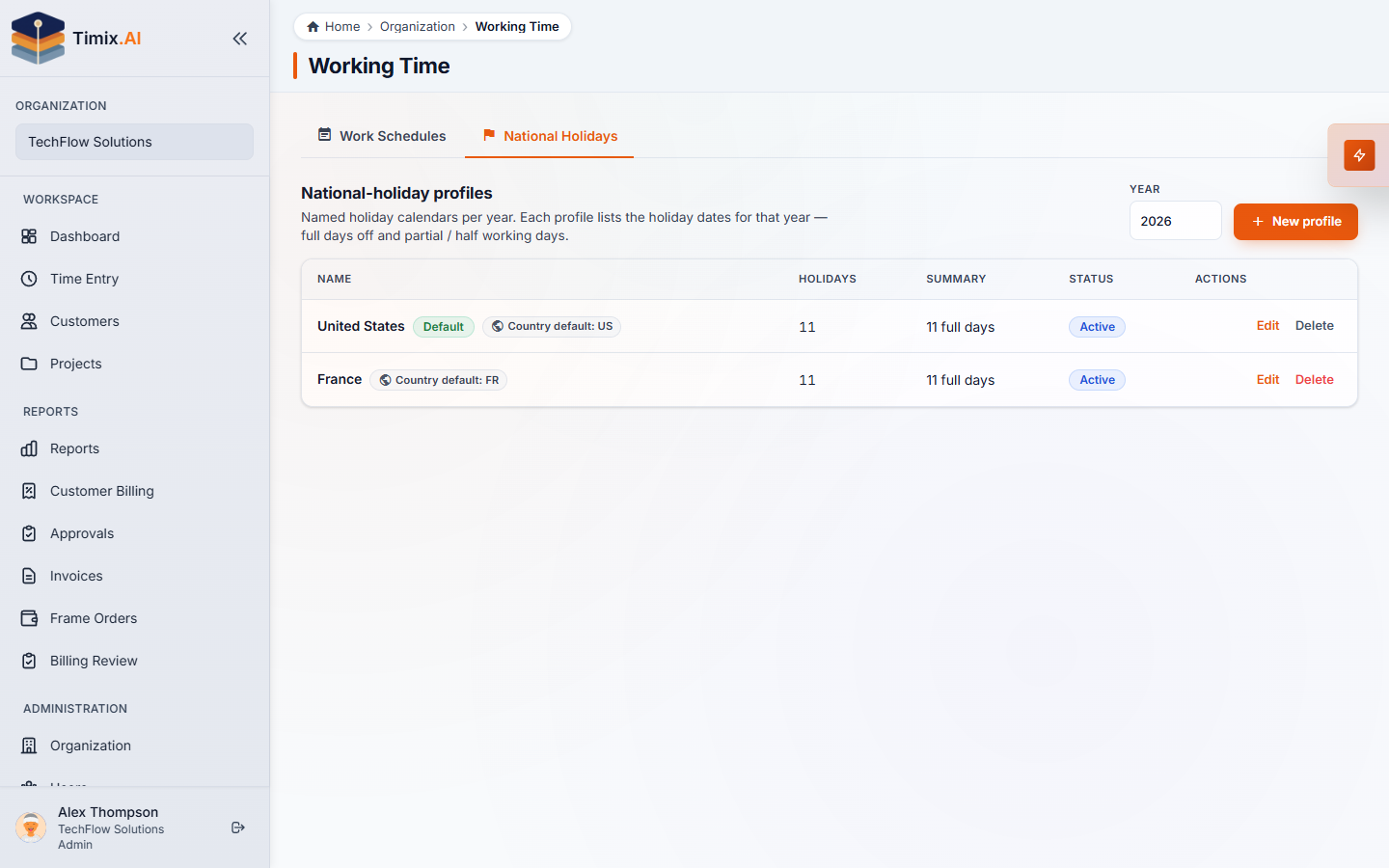
Switch to the National Holidays tab to manage country holiday calendars. Each named holiday profile is tied to a country and a year — for example, United States with 11 holidays or France with 11 holidays. Timix.AI uses these calendars to mark non-working days so they are excluded from the expected hours calculation.
The result: when a public holiday falls during someone’s work week, it does not count against their utilization. Your reports reflect real availability, not inflated expectations.
How it all fits together
Work-schedule profiles define how many hours a person is expected to work each week. Holiday profiles define which days are off. Together they set each person’s true capacity — the number the utilization metric is measured against. Keep both up to date whenever your team grows or your office locations change, and your capacity and utilization numbers will always tell the full story.