
Timix.AI has a key-authenticated REST API for building your own integrations — pull data into internal dashboards, push time entries from another tool, or automate reporting. It’s a Professional+ feature; here’s how to get a key and make your first call.
1. Generate an API key
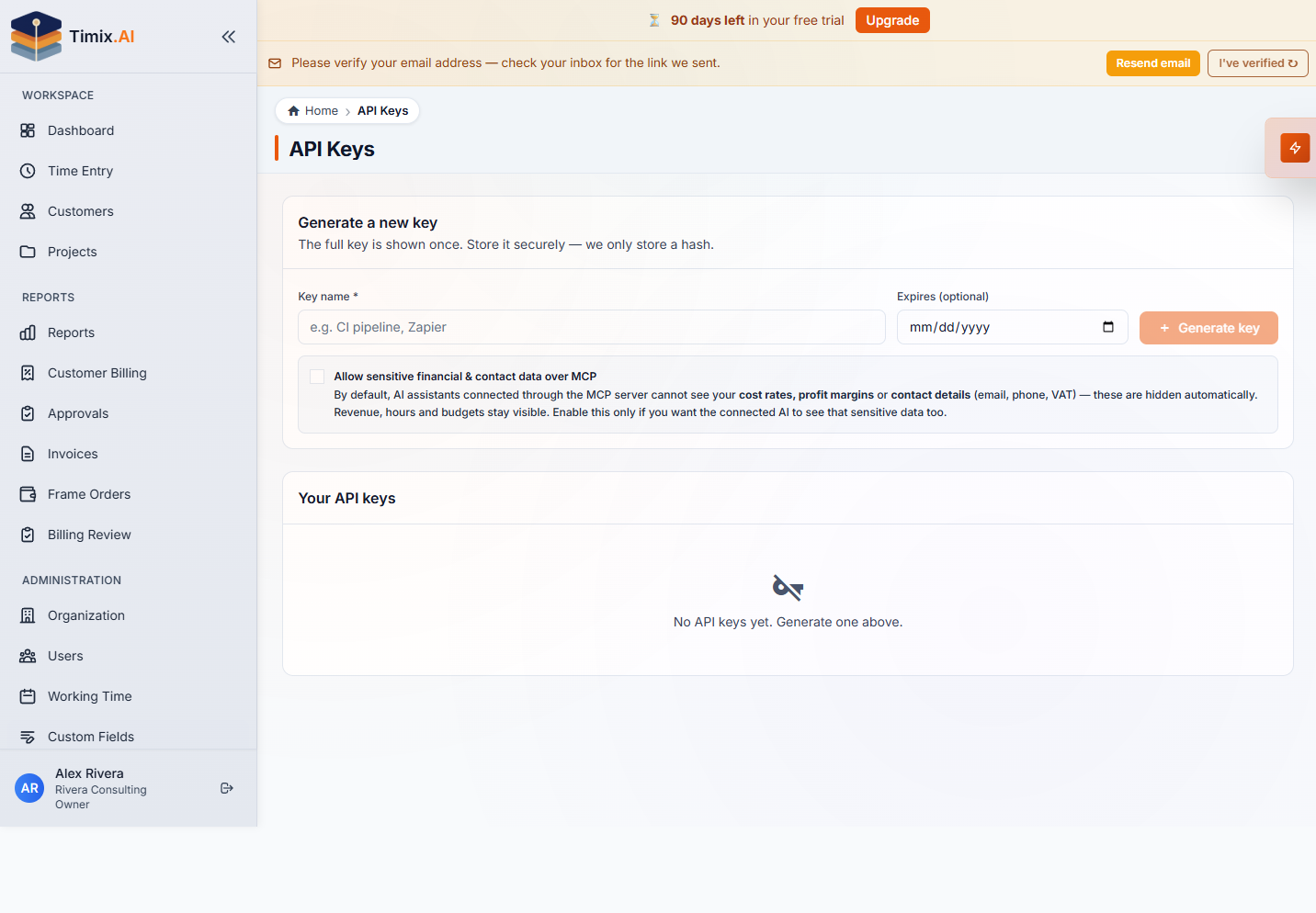
Open Organization → API Keys and Generate a new key: give it a name (e.g. CI pipeline or Zapier) and, optionally, an expiry date. The full key is shown only once — Timix.AI stores only a hash — so copy it somewhere safe immediately. Keys are prefixed tmx_.
2. Make your first request
The API base URL is https://api.timix.ai/api/integration/v1. Send your key in the X-Api-Key header (or as Authorization: Bearer tmx_…). For example, to fetch the calling identity and organization:
curl https://api.timix.ai/api/integration/v1/me \
  -H "X-Api-Key: tmx_your_key_here"
3. Read and write your data
The API exposes your workspace across the hierarchy. Common resources:
/customers,/projects,/tasks,/subtasks— the structure (GET, plus create/update/delete where allowed)/org-users,/organization,/me— people and workspace/invoices,/holiday-profiles— billing and calendars/financial-reports/...—revenue,budget-health,unbilled-time,customer-billing(several with a/export/csvvariant)
The same rules that apply in the app apply through the API: a time entry belongs to the right SubTask, customers sit under your organization, and projects roll up correctly. If you’d rather be pushed changes than poll for them, pair the API with Webhooks.
4. Keep keys safe
Treat every key like a password. Scope it to one integration, set an expiry where you can, and delete it the moment it’s no longer needed or might be exposed — revocation on the API Keys page takes effect immediately. When you just want a common integration without writing code, the no-code connectors get you there faster.